Room Redesign · your first redesign is free
Redesign your room from a photo
Upload one photo of a room you live in and Kubikly redesigns that same photo: the same walls, windows and view, with a new style, the clutter cleared or new furniture where you want it. You decide what stays and what goes, compare up to three options side by side, and revise in plain words until it looks right.
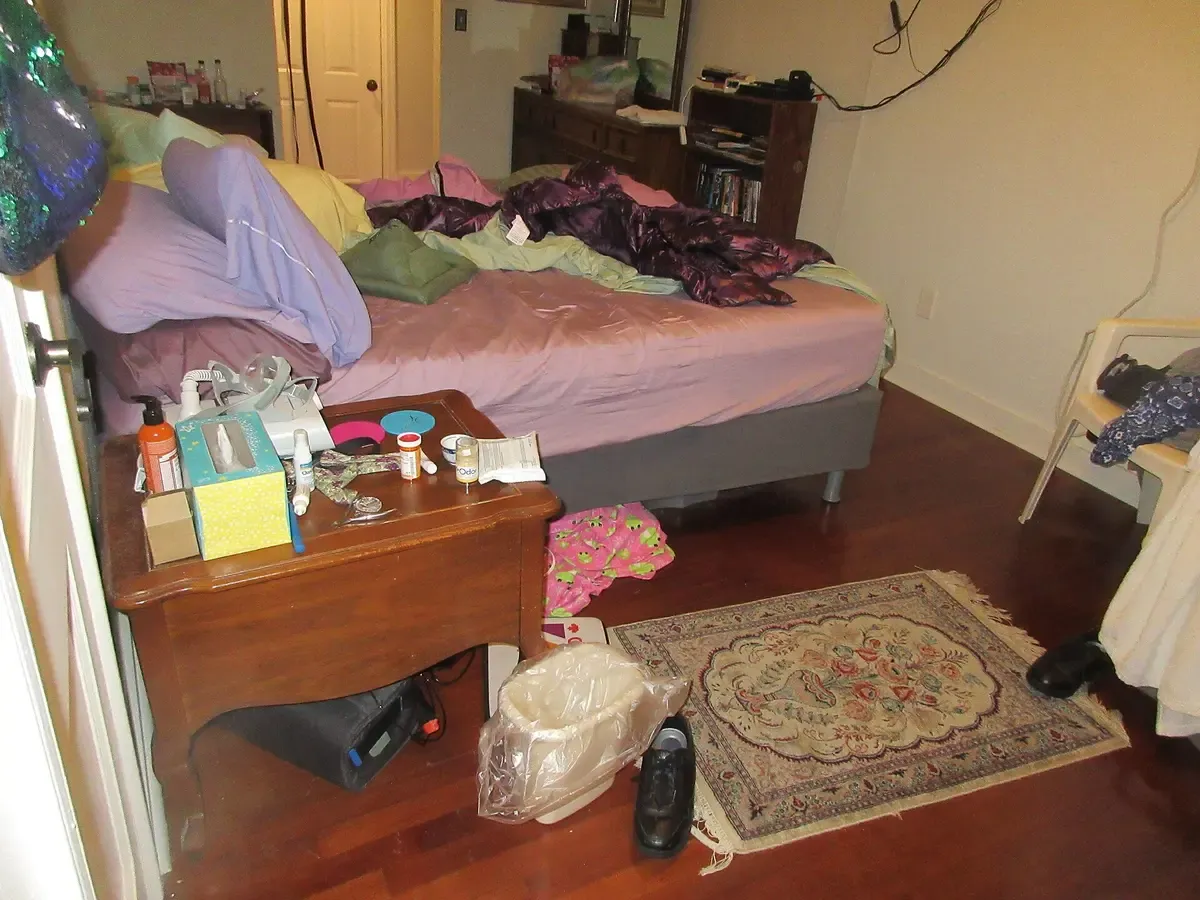
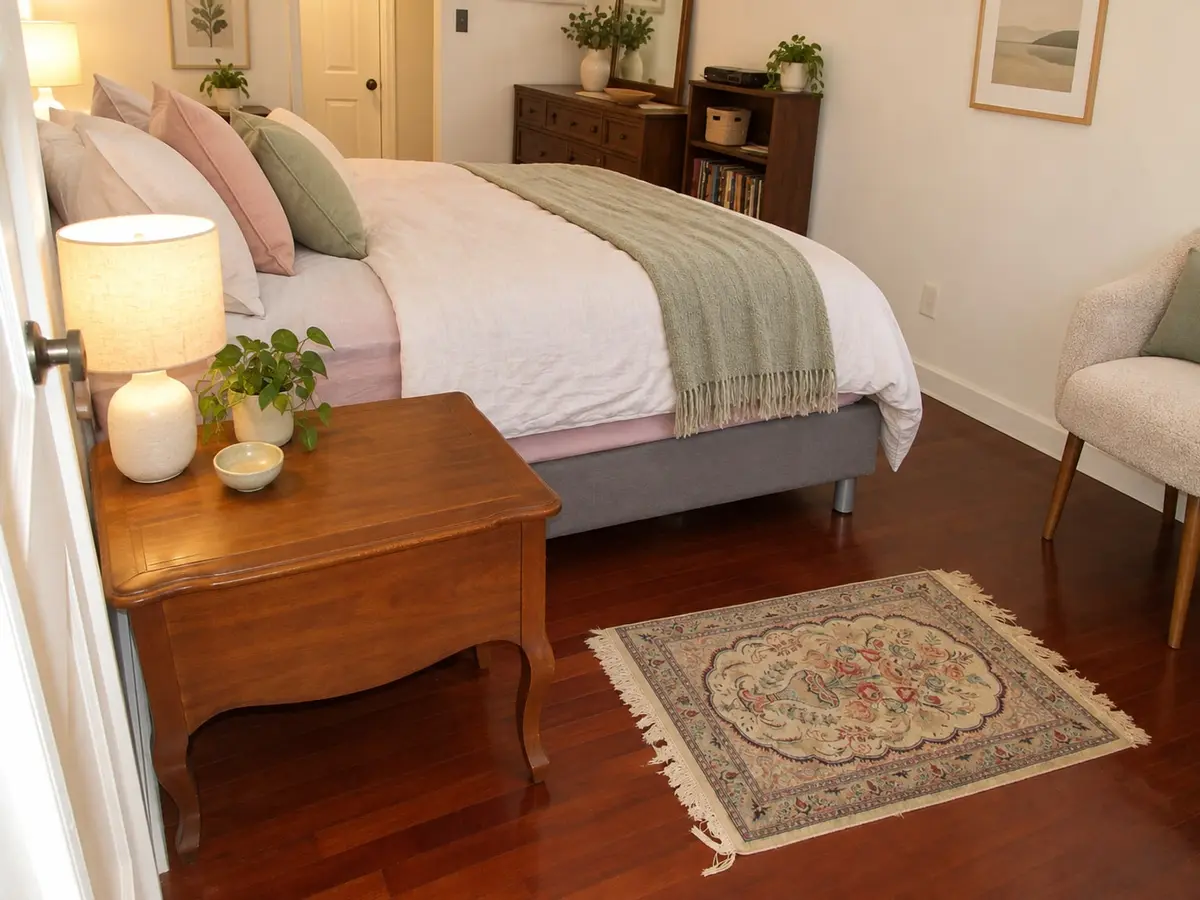
Asked: “Clean this room up and make it Scandinavian. Keep the bed and the wooden nightstand.” · Clean & redesign · Scandinavian
The bed, the wooden nightstand, the rug, the dresser and the door stay where they were; the clutter is gone and the bedding, lamps and plants are new.
Original photo by Infrogmation of New Orleans, CC BY 2.0, via Wikimedia Commons. The “after” is an unretouched Kubikly redesign (AI-generated); not a customer photo.
How it works
- 1. Photograph the room
One photo from a corner or the doorway, on your phone or from your files. The AI separates what is built in (walls, windows, doors) from what can move.
- 2. Say what you want
Pick a mode and a style, or describe it, or upload a photo of a room you like. Mark items to keep, remove or replace, and set a budget level.
- 3. It is checked against your photo
Each design is compared with the original: if walls, windows or doors moved, it is redone. If no acceptable result is possible, your credits come back.
- 4. Compare and refine
Drag the before/after slider, try up to three options, then change details in a sentence. What you did not mention stays as it was.
Four ways to redesign
- Redesign
Same room and layout, new style, finishes and furniture where you want them.
- Declutter only
Clear the mess and tidy up. Your furniture and finishes stay as they are.
- Clean & redesign
Clear the clutter, then restyle the room.
- Full transformation
Keep the architecture, replace everything you can move.
16 styles, or your own
Each preset tells the AI a palette, materials and the feel of the room. You can also describe a style in your own words or upload a photo of a room you like.
- Modern Luxury
- Minimalist
- Scandinavian
- Japandi
- Modern Classic
- Mediterranean
- Art Deco
- Industrial
- Organic Modern
- Coastal
- Boutique Hotel
- Contemporary
- Warm Minimal
- Kids
- Teen
- Luxury Office
Examples
Openly licensed photos of real rooms, redesigned by Kubikly exactly as a customer would: one request each, nothing retouched. Your own photos are private and never shown here.
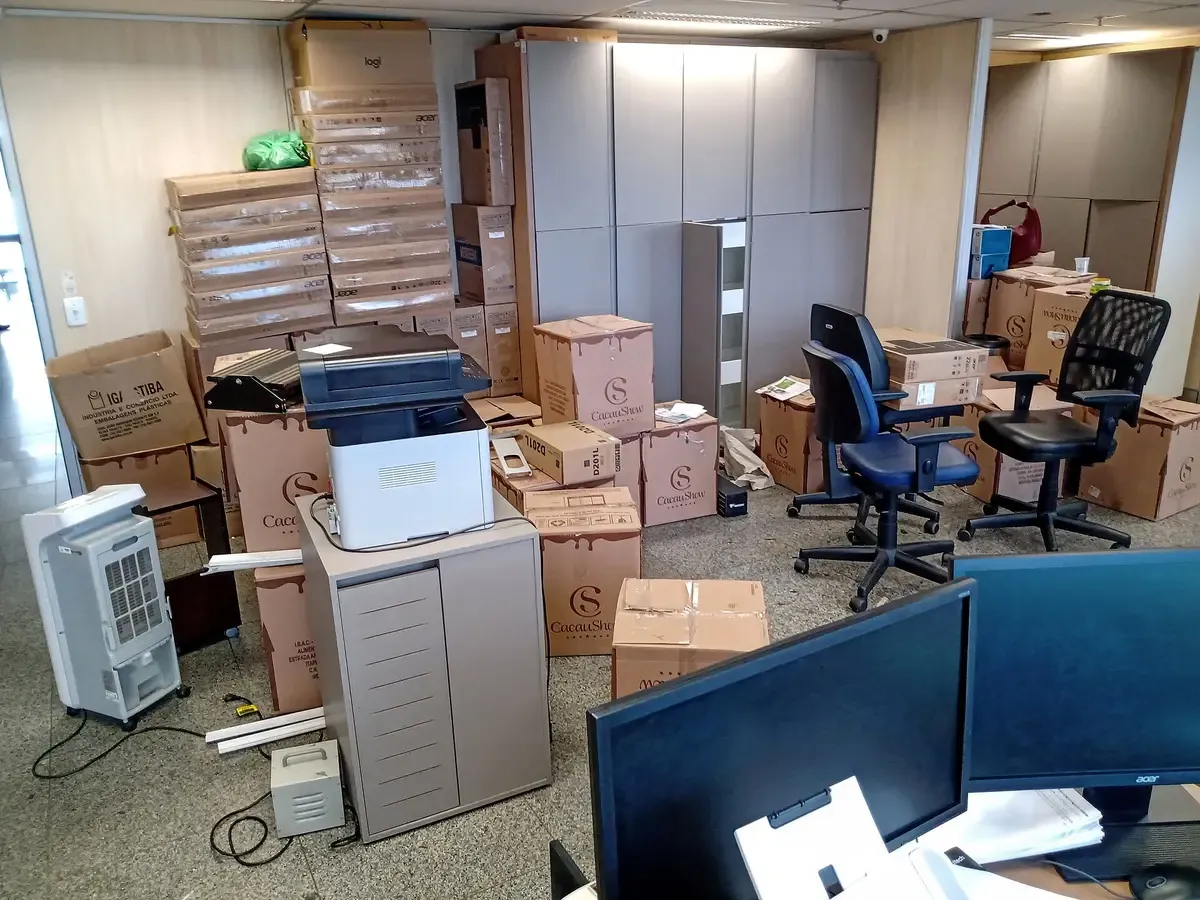
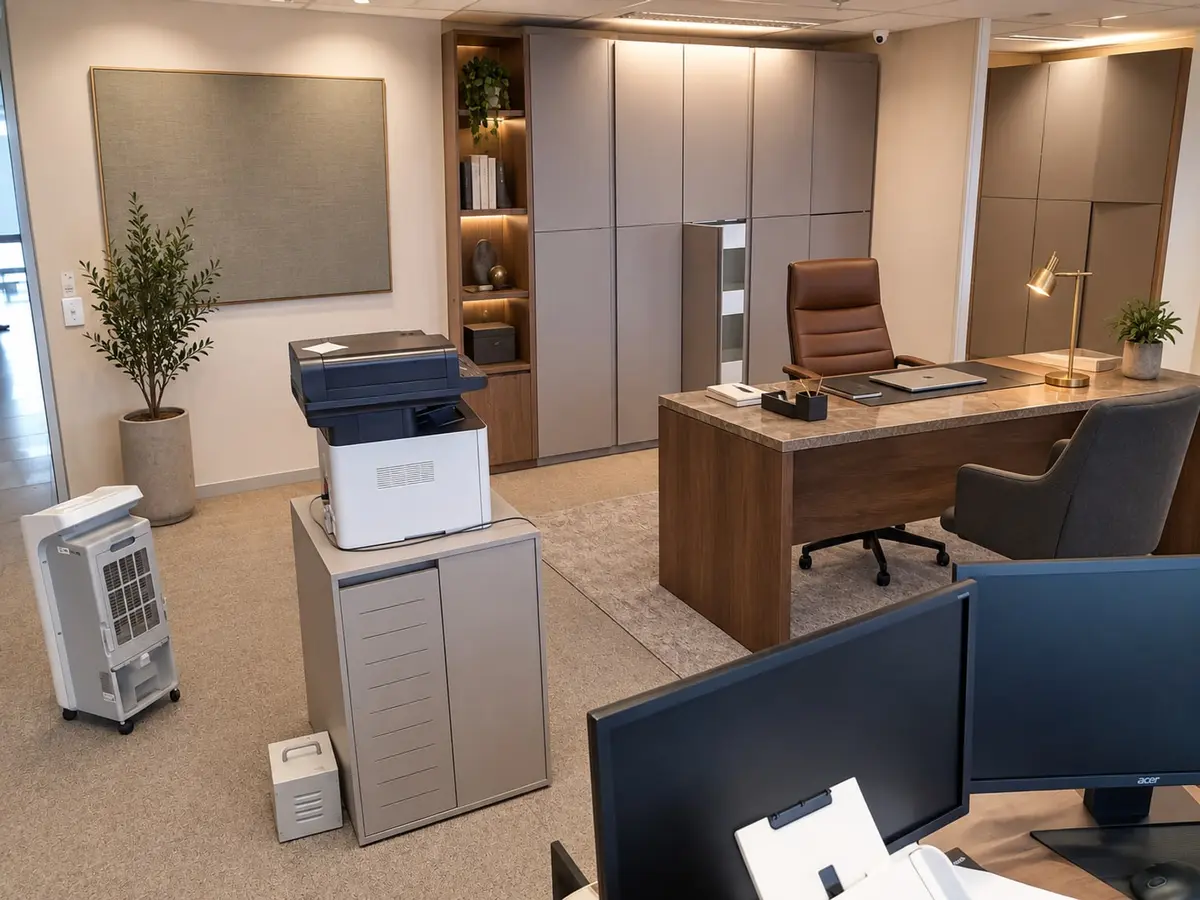
Asked: “Turn this into a calm, organised home office.” · Clean & redesign · Luxury Office
Original photo by OboeBlanket, CC0, via Wikimedia Commons. The “after” is an unretouched Kubikly redesign (AI-generated); not a customer photo.
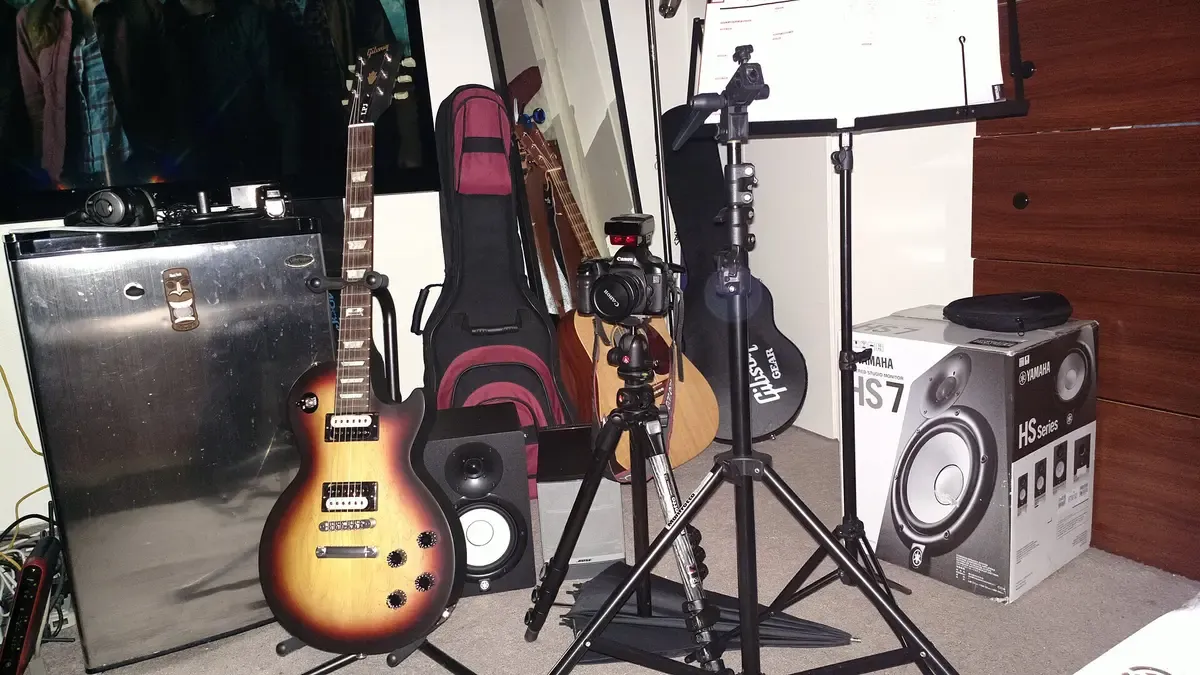
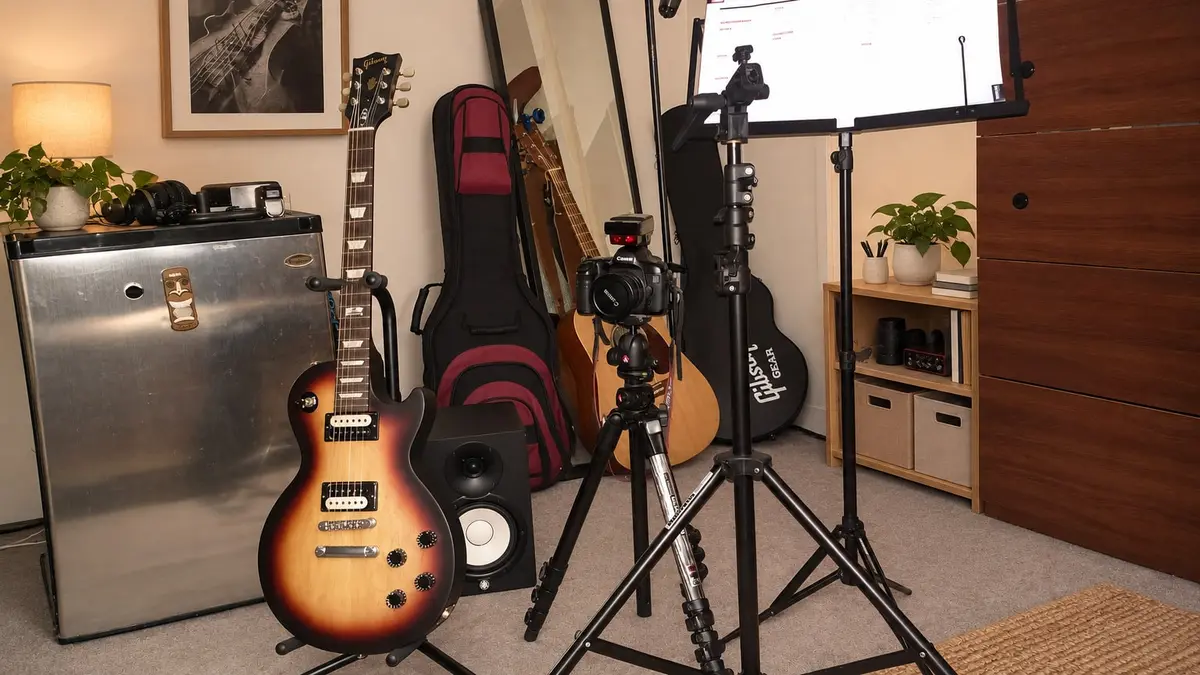
Asked: “Clean this up and make it Japandi. Keep the guitars.” · Clean & redesign · Japandi
Original photo by Adnan Islam from NY, USA, CC BY 2.0, via Wikimedia Commons. The “after” is an unretouched Kubikly redesign (AI-generated); not a customer photo.
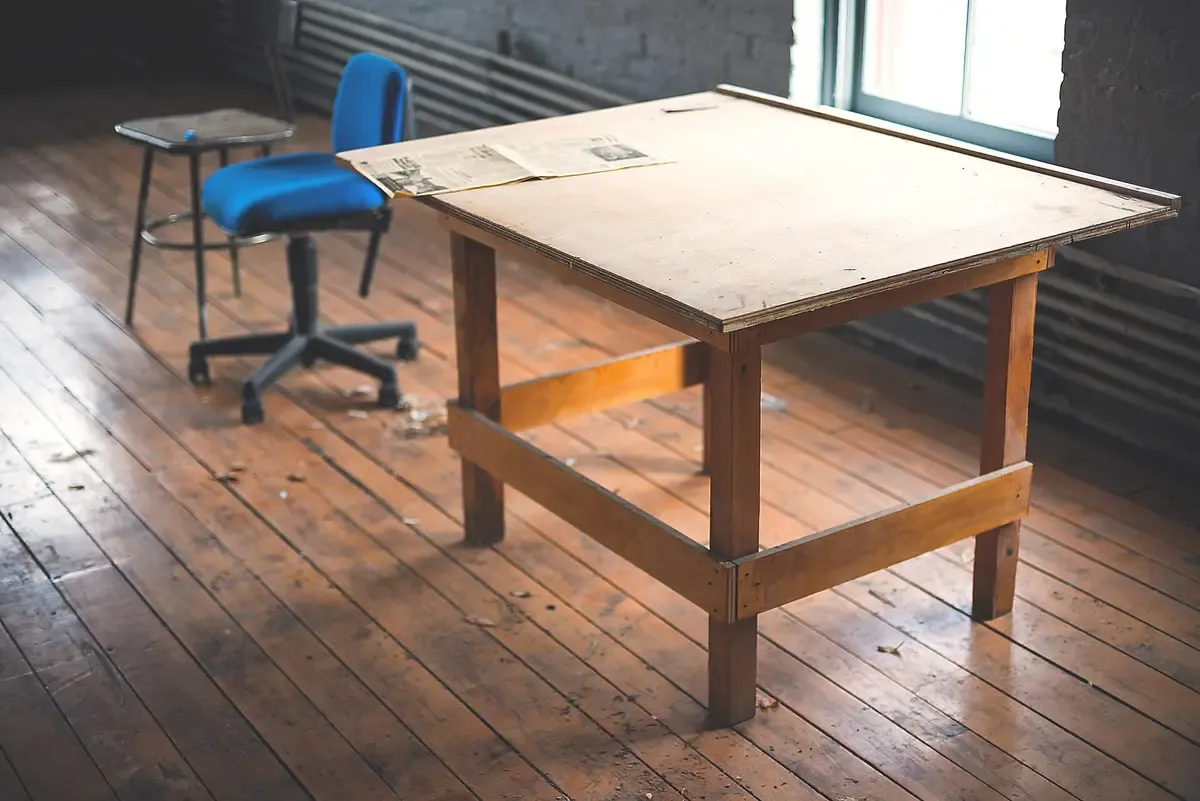
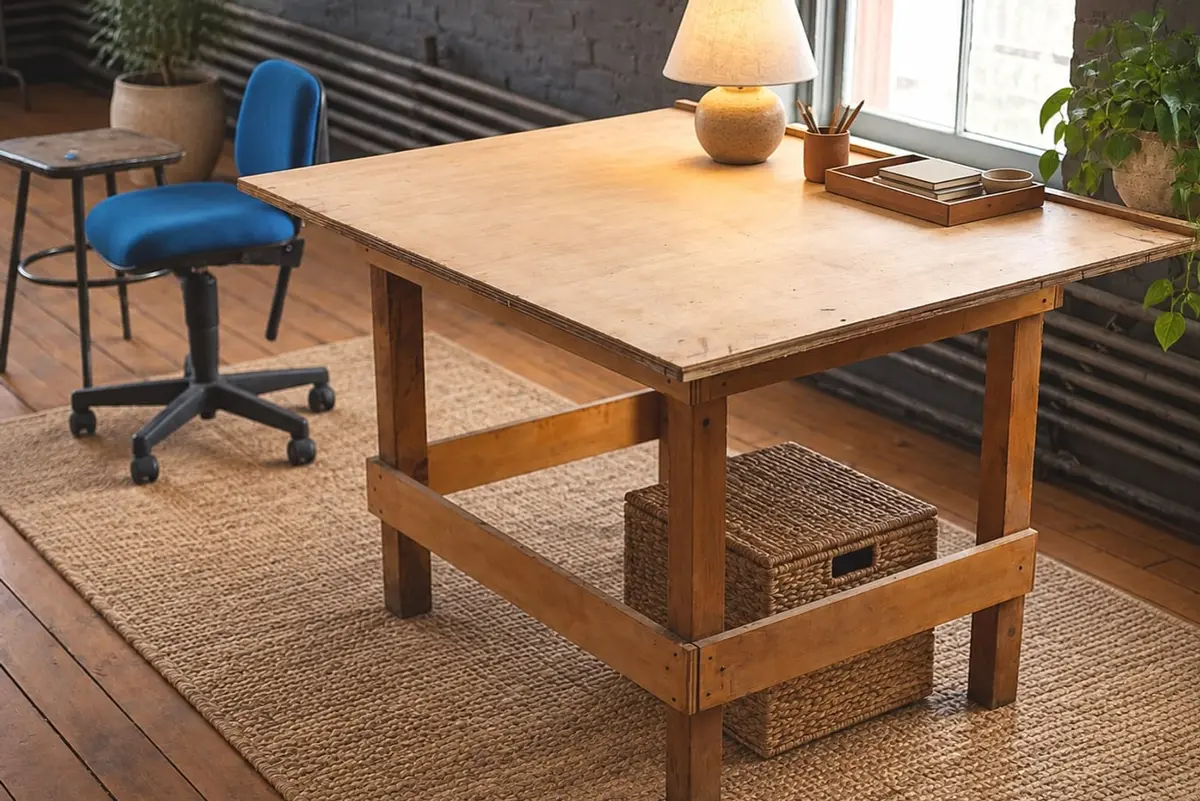
Asked: “Organic modern, keep the old wooden table.” · Clean & redesign · Organic Modern
Original photo by Unsplash contributor, CC0, via Wikimedia Commons. The “after” is an unretouched Kubikly redesign (AI-generated); not a customer photo.
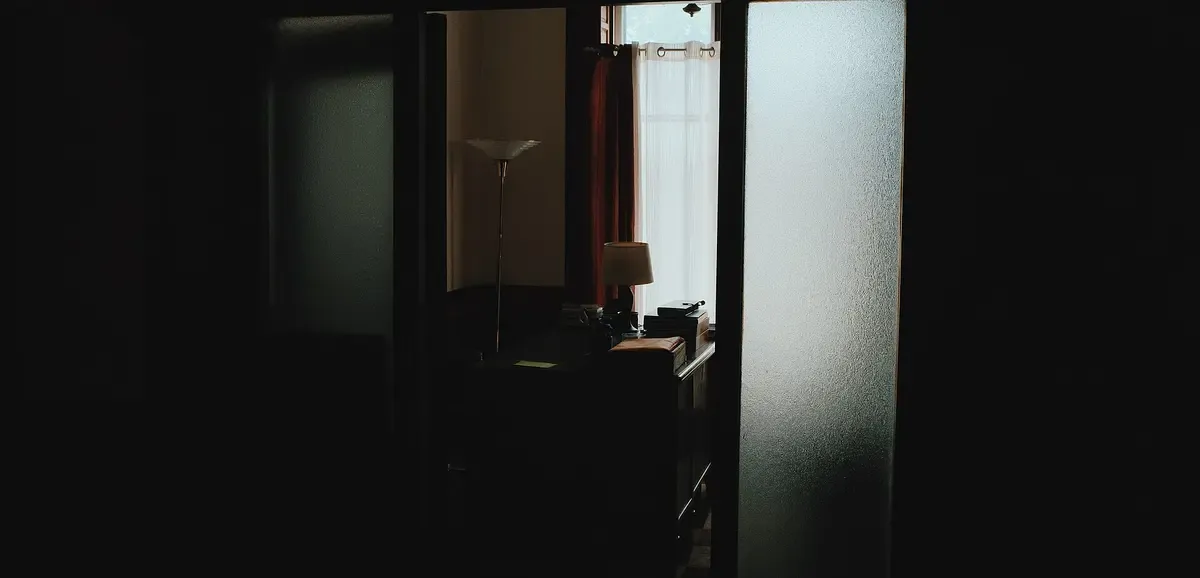
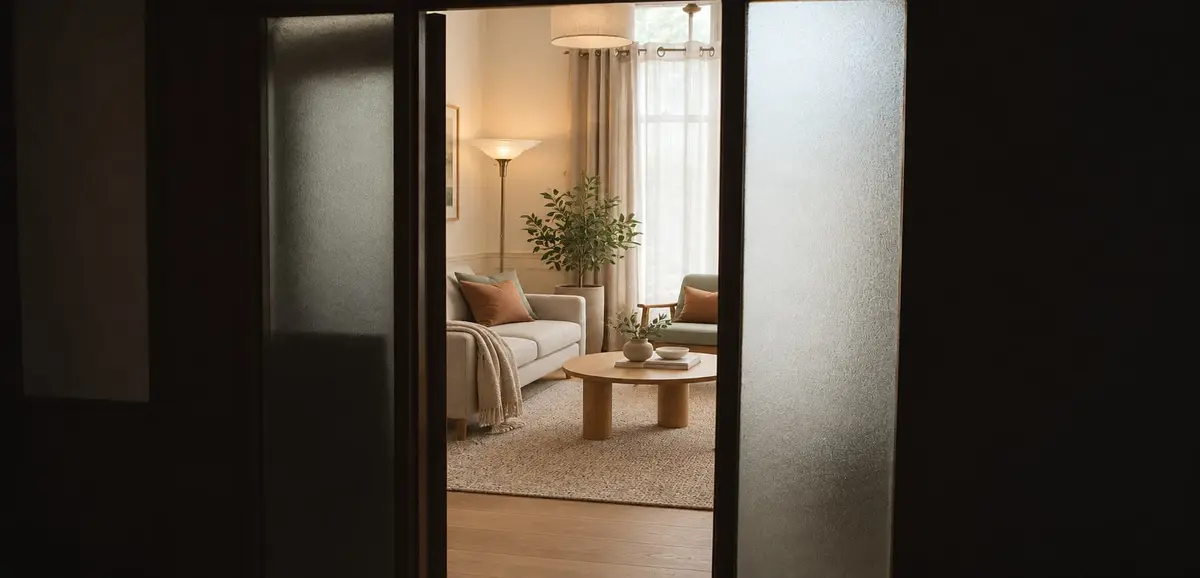
Asked: “Furnish this empty room as a cosy Scandinavian living room.” · Redesign · Scandinavian
Original photo by Stephen Caserta, CC0, via Wikimedia Commons. The “after” is an unretouched Kubikly redesign (AI-generated); not a customer photo.
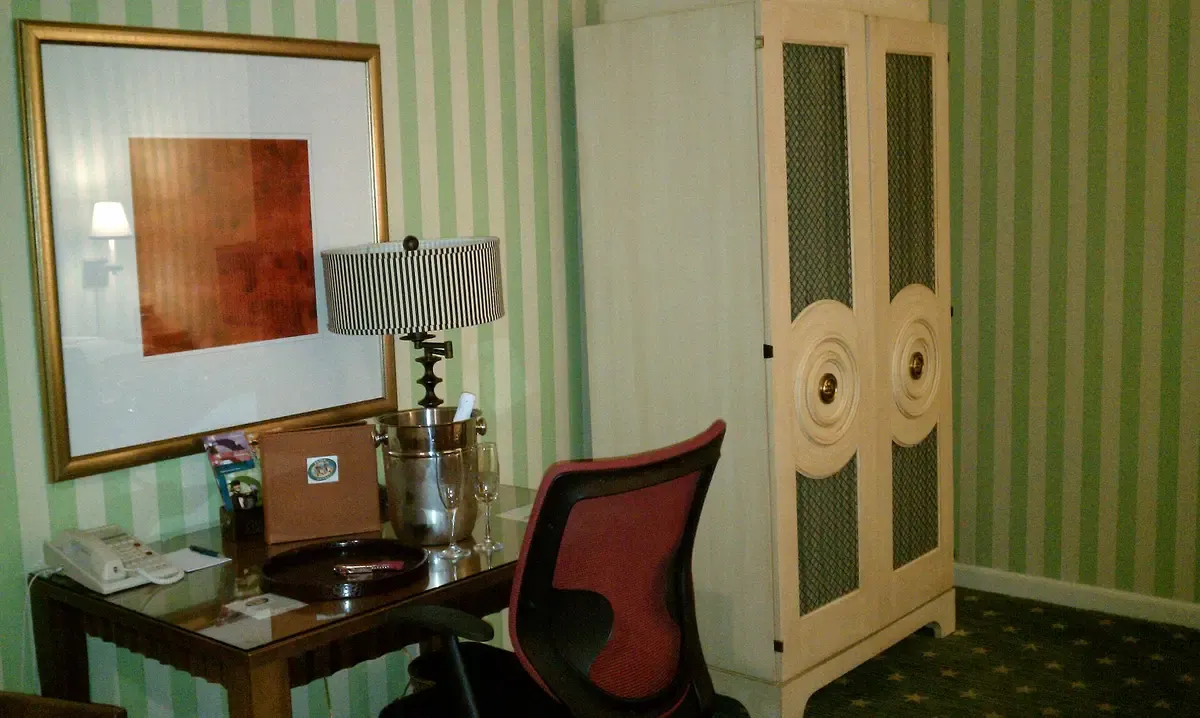
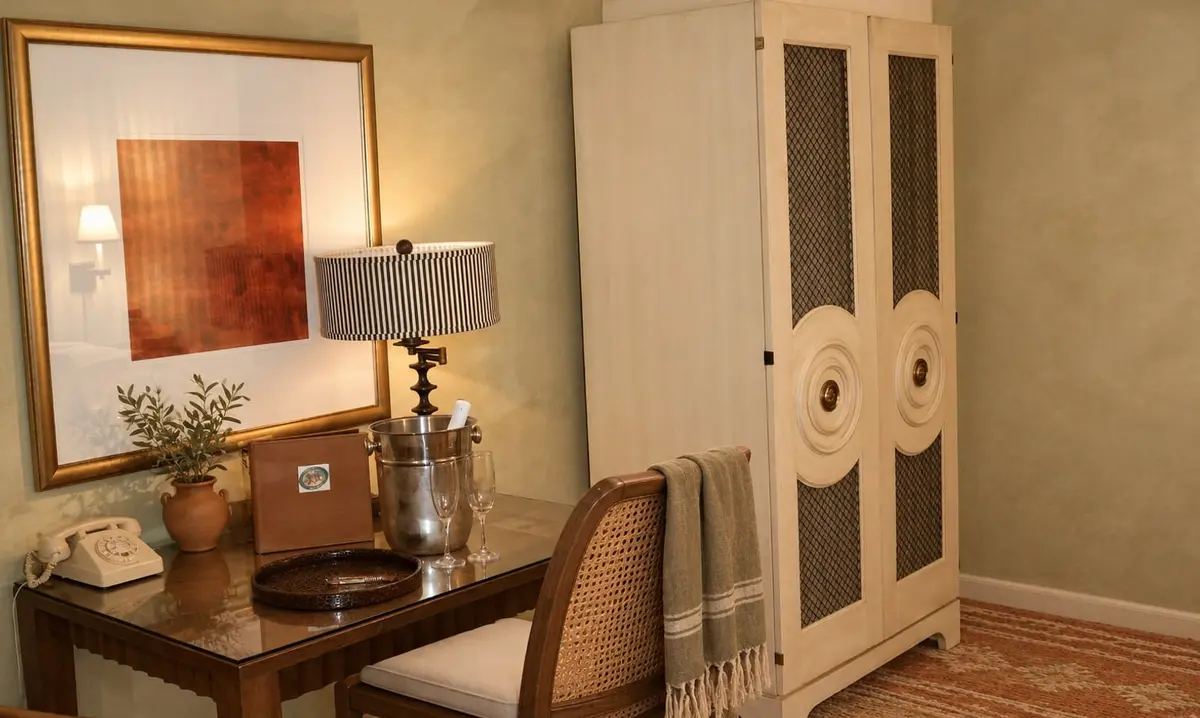
Asked: “Mediterranean, warm and sunny.” · Redesign · Mediterranean
Original photo by Carissa Rogers, CC BY 2.0, via Wikimedia Commons. The “after” is an unretouched Kubikly redesign (AI-generated); not a customer photo.
What Room Redesign is
Room Redesign turns a photograph of your own room into a photoreal design concept of that room. It is for the moment before you spend: to see whether a darker wall works, whether the sofa is worth keeping, or what the spare room could be without the boxes.
A phone photo is enough (JPG, PNG, WebP or HEIC); no floor plan or measurements are needed, and a design usually takes about a minute.
What happens after you upload
The AI first reads the room type, the fixed architecture (walls, windows, doors, ceiling, radiators, built-ins) and the movable items (furniture, decor, clutter). Your choices become a design specification (palette, materials, lighting, what to keep, remove and add), and the photo is edited to it.
Each result then gets an edge-geometry comparison with your original and an independent visual check: same room, same viewpoint, windows, doors and walls unchanged, style applied, realistic. A result that moved the room is retried, up to three attempts; if none is acceptable, the job stops and the credits are refunded automatically.
Choosing a mode, a style and a budget
Redesign suits a room that mostly works but looks wrong; Clean & redesign, one where the mess is part of the problem. Declutter only shows your own room tidy, and Full transformation keeps only the architecture, which is how to furnish an empty room.
For the style, pick one of 16 presets, describe your own, or upload a photo of a room you like. The budget level (Budget, Mid-range, Premium/luxury) steers the finish: on Budget, paint, textiles, lighting and decor do most of the work. It changes the look, not a price.
Keep, remove, replace, and revisions
Mark the sofa Keep, the boxes Remove and the desk chair Replace, and the specification follows those marks instead of guessing. Up to three options can run at once from the same room analysis. To refine one, say what to change (“make the bedding cream”, “darker and warmer”) or use the toggles; the previous design is the starting point, so anything you do not mention stays.
What it is not
- A survey, a measured plan or a 3D model: it is a visual concept of one viewpoint, with no measurements.
- A shopping list: no product links, furniture prices or brand names.
- A way to move walls, windows or doors. For that, or a measurable home to walk through, start from a floor plan in the floor-plan-to-3D studio or the AI house designer.
- Perfect in every detail: a socket or a picture frame can differ from the real room.
- Equally good with every photo: a wide daylight shot from a corner works best; a close-up of one wall is the weakest case.
Pricing and privacy
Your first room redesign is free on a verified account, with no credit card. It uses the account's one free generation, which can be either a first 3D model or a first room redesign, not both. After that, each design, option or revision costs 3 credits, from packs of 30 ($19), 100 ($49) or 300 ($129). The price is shown before anything is charged, and failed designs are refunded automatically.
Photos and designs are private to your account, never published and never used as public examples without your explicit consent.
Frequently asked
- Is Room Redesign free?
- The first one is, on a verified account, with no card. It uses the account's single free generation: your first room redesign or your first 3D model, not both. After that each design, option or revision costs 3 credits.
- Will it change my walls, windows or doors?
- It is built not to. Each result is checked against your original photo, and one that moved the walls, windows or doors is retried. Small details such as a socket can still differ, so treat it as a concept, not a survey.
- Can I keep my own furniture?
- Yes. Mark any item the analysis found Keep, Remove or Replace. Keep the sofa and the rug, replace the coffee table, remove the boxes: the design specification follows your marks.
- Can I use a photo of a room I like?
- Yes. Upload it as the style reference and its style is applied to your room. Your own walls, windows and doors stay; only the look is borrowed.
- Can I get a shopping list of what is in the design?
- No. The result is an image with no product links, furniture prices or brand names. Use it to settle the direction, then shop or brief a designer with it.
- How long does a redesign take?
- Usually about a minute per design. Up to three options can be made at once from the same room analysis.
- Is my photo private?
- Yes. Photos and designs are private to your account and never published, and they are not used as public examples without your explicit consent.
- What if the result is wrong?
- If the checks find the room has moved, the design is retried, up to three attempts; if no acceptable result is possible, the job stops and the credits are refunded. If it is simply not to your taste, ask for a revision in a sentence.
Guides and comparisons
- How AI room redesign from a photo worksWhat happens between uploading a room photo and getting a redesign: the room analysis, the design spec, the image edit, the geometry check, retries and refunds.
- How to photograph a room for an AI redesignHow to take a room photo that gives the best AI redesign: where to stand, which lens, what light, what to include, and what to take out before you upload it.
- How to make a room look more expensiveInterior design advice for a room that looks more expensive: layered light, fewer and larger pieces, better textiles, hardware, art scale, paint and curtains.
- Restyle a room to match any photoHow to take a photo of a room you like and apply its style to your own room in 3D: what the AI reads from the reference, what it keeps, and how to get a photoreal render of the result.
- AI room redesign vs an interior designerAn AI redesign shows your own room in new styles in minutes; an interior designer measures, sources, runs the trades and answers for the result. Which to use.
- Kubikly vs AI image generatorsImage generators make beautiful pictures that cannot be measured, edited reliably or built. Kubikly builds structured 3D you can measure, change by talking and export, and adds a photoreal render on top.